
Bundle prices
Keep your intro discount price ongoing with an amaysim mobile plan.



Connecting to amaysim NBN can look a bit different for different people. Here’s a detailed step-by-step look at how it all works.




Activating your service usually takes 15-30 mins. Once connected, you’ll get an email and SMS from us. We’re here to help if you need to update your modem settings 



Keep your intro discount price ongoing with an amaysim mobile plan.

Give us a crack or your money back if you’re unhappy within 30 days.

No extra costs. No changing your Wi-Fi password. Voila! (with a compatible modem)

Stream, scroll & swipe without worry. (Fair Go Policy applies)
No. With amaysim NBN, you must bring your own modem. We recommend using a modem/router no older than five years.
Ensure your modem is compatible by reviewing the specs on the plan details for your chosen plan.
Standard Intro Offer
You’ll be paying the Standard Intro Offer price for 6 months:
NBN 25 - $60/mth.
NBN 50 - $75/mth.
NBN 100 - $80/mth.
NBN 500 - $80/mth.
NBN 750 - $90/mth.
NBN 1000 - $100/mth
Ongoing Pricing
Then, after those 6 months, you’ll be paying:
NBN 25 - $60/mth if you keep an amaysim SIM plan connected (Bundle Price), otherwise $70/month.
NBN 50 - $75/mth if you keep an amaysim SIM plan connected (Bundle Price), otherwise $85/month.
NBN 100 - $80/mth if you keep an amaysim SIM plan connected (Bundle Price), otherwise $90/month.
NBN 500 - $80/mth if you keep an amaysim SIM plan connected (Bundle Price), otherwise $90/month.
NBN 750 - $90/mth if you keep an amaysim SIM plan connected (Bundle Price), otherwise $100/month.
NBN 1000 - $100/mth if you keep an amaysim SIM plan connected (Bundle Price), otherwise $110/month.
No, NBN will handle the cancellation process on your behalf based on the date you choose for connection to amaysim NBN, unless you are requesting a Fibre Upgrade*.
You can conveniently select your preferred connection date during the checkout process.
IMPORTANT: Check the terms with your current provider as they may require a minimun notice period to cancel your billing.
*If you are requesting a Fibre Upgrade you will need to contact your existing provider to cancel your service once your new Fibre service is up and running.
Yes, typically your connection might be down for about 10 to 30 minutes until you're all set up with amaysim.
Could sometimes take longer?
Yes, it could take a bit more time if:
you have to set up your modem/router,
your equipment is not connected properly,
your home is missing NBN equipment, or
NBN® is facing technical hiccups.
Either way, we've got your back with all the help and support you require.
No way. You can leave us anytime without penalty. We’ll miss you but you can change or cancel your NBN plan whenever you want. You won’t find any lock-in contracts here.
Modem Compatibility
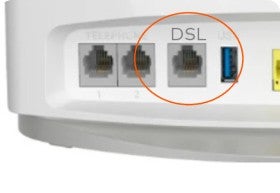
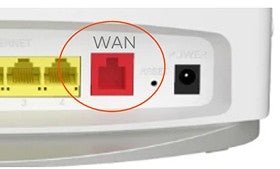
Ensure that you have a compatible modem / router. After checking you address you’ll find the equipment recommendation on each speed plan.
NBN Equipment
Some homes may need specific NBN equipment like NBN conneciton or utility boxes. Don't worry! We can provide any missing equipment after your purchase.
New Development Charge
If your home has never been connected to the NBN, a $300 New Development Charge is required to be paid at checkout. This fee goes directly to NBN to offset the expenses associated with expanding the NBN infrastructure to additional locations.
NBN Technician Appointment
Sometimes an NBN Technician may have to visit your premises to do a standard NBN installation. We’ll let you know if this is the case so you can schedule an appointment.
Yes, you can change your plan speeds once your service is active. You can upgrade to faster speeds or downgrade to a slower speed to suit your needs.
Things to be aware:
Your address may be limited to upgrade to higher speeds. Check your address in this page to see the plan speeds that your address supports.
As this is a prepaid plan, we cannot offer refunds for downgrades.
No, amaysim does not support landlines. If you have a landline service connected to your existing NBN service the landline service will be disconnected when switching to amaysim NBN.
No, it doesn’t use CGNAT at this stage to deliver our home internet service, no need to opt-out!
These plans are only available for FTTP and HFC connections.
If you have FTTN, FTTC or Fixed Wireless, these connection types can't support the higher speeds, so those plans won't be available to you.
Want faster speeds? Check if you're eligible for for a fibre upgrade with amaysim.